reCAPTCHA
A security component that protects forms from spam and automated abuse by verifying that the user is human before form submission. It adds a verification step while maintaining a simple user experience.
The reCAPTCHA widget renders at a fixed size regardless of viewport. This is determined by Google's service and cannot be changed. The design system controls only the surrounding container and page placement.
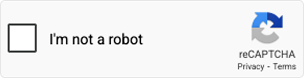
Default
The standard state before verification. The checkbox is visible and ready for the user to interact with.
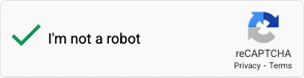
Checked
The verification is completed successfully. The checkbox displays a checkmark indicating the user has been verified.
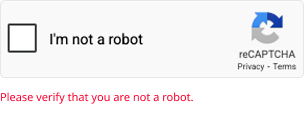
Error
The verification failed or expired. An error message appears prompting the user to retry the verification.
Checkbox Interaction
- The user clicks the reCAPTCHA checkbox to begin the verification process.
- Google's risk analysis engine runs immediately. If the risk score is low, verification passes instantly (No CAPTCHA result). The checkbox displays a checkmark and the user can proceed.
- If the risk score is higher, Google presents a visual challenge (image selection puzzle or audio challenge) in an overlay modal. This is entirely rendered and controlled by Google.
- On successful challenge completion, the checkbox transitions to the Checked state.
reCAPTCHA
- Provided by the reCAPTCHA service and should not be modified.
- Displays the reCAPTCHA branding provided by the service.
- Must remain visible according to Google reCAPTCHA guidelines.
1
reCAPTCHA checkbox
- Allows users to initiate the verification process by selecting the checkbox.
- Rendered by Google. The visual style cannot be customised.
- Displays a checkmark when verification is successful.
2
Verification label
- Displays the verification text: "I'm not a robot".
- Provided by the reCAPTCHA service and it cannot be customised.
3
reCAPTCHA logo
- Displays the Google reCAPTCHA logo and "Privacy · Terms" links.
- Must remain visible at all times. It is required by Google's Terms of Service.
- Cannot be removed, hidden, or repositioned.
Default state — items 1, 2, 3
1
2
3
- Place reCAPTCHA above the form submission button.
- Do not attempt to hide the reCAPTCHA behind other elements.
- Do not attempt to remove the privacy and terms links required by the service.
- Do not place the component too far from the form it protects.